
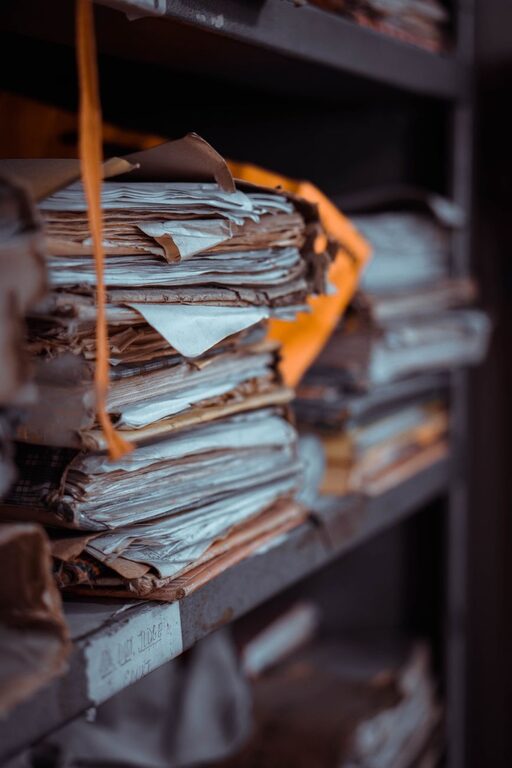
Paper clutter can build up quickly. Mail, receipts, school notices, instruction manuals, coupons, and old notes often collect on counters and tables before you realize it. The good news is that you do not need a complicated filing system to take control.
With a few simple habits, you can reduce the amount of paper entering your home, decide what to keep, and create an easy system for important documents.
Start With a Quick Paper Sweep
Before creating a long-term system, gather the loose papers from around your home. Check common collection points such as:
– Kitchen counters
– Entryway tables
– Home office desks
– Junk drawers
– Bags and backpacks
– Refrigerator doors
– Bookshelves
– The car
Place everything in one location, such as a table or a large box. Seeing the full amount of paper at once can make the task feel easier because you are working from one central pile instead of several scattered piles.
Do not try to organize every document immediately. Begin by removing obvious trash, such as empty envelopes, outdated advertisements, duplicate pages, and scraps with no useful information.
Use Four Simple Sorting Categories
A small number of categories makes sorting faster. Create four piles or containers:
- **Action:** Papers that require a response, payment, signature, or follow-up.
- **Keep:** Important documents that need to be stored.
- **Maybe:** Papers you are unsure about and want to review later.
- **Recycle or shred:** Papers that are no longer useful.
Try to make a quick decision about each item. If you stop to read every page in detail, the process may take much longer. Place items that need closer attention in the “Maybe” pile and continue sorting.
When the first pass is finished, deal with the action pile right away. Add deadlines to your calendar, complete short tasks, and put documents that need a future response in a visible but controlled location.
Reduce Paper at the Source
The easiest paper to manage is paper that never enters your home. Look for ways to reduce incoming mail and printed materials.
Consider these changes:
– Switch regular statements and notices to electronic delivery.
– Unsubscribe from catalogs and promotional mail.
– Ask organizations to remove duplicate mailing addresses.
– Choose digital receipts when they are offered.
– Avoid printing emails, directions, or articles unless needed.
– Request fewer paper notices from clubs, schools, and community groups.
– Keep a reusable shopping list on your phone or in one notebook.
Make these changes gradually. You do not need to update every account at once. Each reduction helps prevent future clutter.
Create One Home for Important Papers
Important documents are easier to manage when they have one consistent home. Choose a location that is dry, accessible, and large enough for your current needs. A small file box, cabinet, or set of labeled folders can work well.
Possible folder labels include:
– Home
– Insurance
– Taxes
– Vehicles
– Education
– Receipts
– Warranties
– Personal records
– Projects
Use broad categories instead of creating a separate folder for every type of paper. Too many categories can make filing feel difficult and may discourage you from putting documents away.
If you share a household, choose labels that everyone understands. A simple system is more useful than a detailed system that only one person can navigate.
Keep an Active File for Current Tasks
Documents that need action should not be mixed with long-term records. Use a folder, tray, or small box for current tasks. Label it something clear, such as “To Do” or “Action.”
Review this file once or twice a week. During the review, remove completed items, update your calendar, and file documents that no longer need attention.
You can also divide the file into sections:
– This week
– Waiting for a reply
– Upcoming
– To file
The system does not need to be elaborate. Its main purpose is to keep deadlines and unfinished tasks from getting lost in a large pile.
Scan Only What You Need
Digital storage can reduce physical clutter, but scanning every piece of paper may create a new problem: digital clutter. Before scanning, ask whether the document is truly worth saving.
Scan papers that are:
– Difficult to replace
– Useful for future reference
– Needed for a project
– Part of a long-term record
– Easier to search digitally than physically
Use clear file names, such as `2026 Home Warranty Kitchen Appliance` rather than `scan001`. You may also want to include the date and document type.
Organize digital files into a few broad folders that match your paper folders. Back up important files using a reliable storage method, and make sure scanned copies are readable before recycling the originals.
Some documents may need to be kept in their original form. If you are unsure, check the instructions from the organization that issued the document or consult a qualified professional.
Set a Limit for Receipts and Manuals
Receipts and instruction manuals can quickly fill drawers. Create a small container for receipts and review it regularly. Recycle receipts that are no longer needed, while keeping those connected to returns, warranties, or household projects.
For manuals, first check whether the information is available on the manufacturer’s website. If so, you may be able to recycle the printed copy. Keep manuals for items that are difficult to operate, have maintenance requirements, or are still under warranty.
A useful rule is to keep only the papers that support a current need or provide information you are likely to use.
Schedule a Weekly Paper Reset
Paper clutter returns when there is no regular maintenance routine. Set aside 10 to 15 minutes once a week to process new papers.
During this reset:
- Collect papers from around the home.
- Recycle obvious junk.
- Open and sort mail.
- Add important dates to your calendar.
- File documents that need to be kept.
- Shred papers containing private information when appropriate.
- Empty the action folder of completed tasks.
A short weekly routine is usually easier to maintain than an occasional large cleanup. Choose a time that fits naturally into your schedule, such as after sorting mail or before taking out the recycling.
Make Decluttering Easier to Maintain
Your paper system should match your daily habits. If you usually place mail near the door, keep a recycling bin and action folder nearby. If you handle household paperwork at a desk, store your files within reach.
Use containers that are easy to open and label. Avoid stacking papers in places where they will be forgotten. Leave a little extra space in each folder so new documents can be added without forcing the system to overflow.
Every few months, review your files and remove documents that are no longer useful. Paper clutter is easier to prevent when you regularly question what deserves space.
The goal is not to create a perfect filing system. It is to make decisions easier, keep important papers accessible, and reduce the amount of time spent searching through piles. Small habits, repeated consistently, can make your home feel calmer and more organized.